Cherry Dreamy: A Web Designer’s Review of This Elegant Font Duo
Testing Cherry Dreamy in a Real Web Layout
It started with a client’s request for a soft, feminine landing page for a new line of botanical candles. I was exploring typefaces that could carry warmth and elegance without sacrificing readability. That’s when I came across Cherry Dreamy, a font duo combining a delicate script with a clean sans serif. I decided to test it live in a hero section and see how it performed across devices, image overlays, and branding elements.
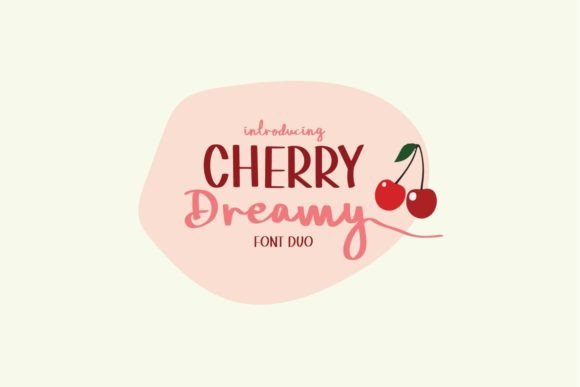
The first thing I noticed was how well the script font, Cherry Dreamy Script, worked in the headline area. It gave the design a personal, hand-crafted feel that aligned with the brand’s organic aesthetic. Paired with the matching sans serif, the layout felt cohesive and modern. I used the script for the main headline and the sans serif for the subheading, and the contrast between the two created a strong visual hierarchy.
Performance Across Devices and Screen Sizes
One of the key concerns when using a decorative font like Cherry Dreamy is how it renders on mobile. I tested the font on both desktop and mobile views, and it held up surprisingly well. At slightly larger sizes—above 24px—the script remained legible and charming. On smaller buttons or subtext, I switched to the sans serif to maintain clarity.
I also checked how the font performed on dark backgrounds and image overlays. The script font looked especially beautiful over a soft floral background in the hero section. To ensure readability, I added a subtle semi-transparent overlay behind the text. The sans serif worked perfectly for calls to action like “Shop Now” and “Learn More,” especially when styled with a clean button background.
Font Pairing and Visual Hierarchy
As a web designer, one of the first things I consider is how a font will pair with others in the layout. Cherry Dreamy naturally lends itself to clean, modern pairings. I used it alongside a simple sans serif for body text and form labels, which helped balance the decorative script with functional readability.
In one section of the site, I experimented with a serif font for secondary headings to create a more editorial feel. The contrast between the script, serif, and sans serif added depth without clutter. This kind of layered typography can help guide the user’s eye through the page while reinforcing the brand’s personality.
Use Cases and Web Design Applications
Cherry Dreamy shines in specific digital applications where warmth and elegance are key. Here’s where I found it most effective:
- Hero sections – Perfect for headlines and short brand statements.
- Call-to-action buttons – Best used in the sans serif version for clarity.
- Logo treatments – The script works beautifully for logotypes and brand headers.
- Blog headers – Adds personality to post titles and featured images.
- Promotional banners – Ideal for short, attention-grabbing phrases.
It’s important to note that Cherry Dreamy isn’t suited for long-form content or small interface text. I avoided using it in navigation menus, form fields, and footers where clarity and speed are more important than style.
What to Watch Out For
While Cherry Dreamy brings a lot of charm to a design, it’s not a one-size-fits-all solution. The script font becomes difficult to read at sizes below 18px, especially on mobile. I also noticed that in all-caps usage, some of the ligatures and flourishes lost their impact and became visually muddled.
For accessibility, I made sure to check contrast ratios when placing the font over images or colored backgrounds. In a few cases, I adjusted the font weight or added a light drop shadow to ensure legibility for all users.
Final Thoughts on Using Cherry Dreamy in Web Design
Overall, Cherry Dreamy is a lovely addition to any digital project that calls for a touch of personality and elegance. Its script font brings a sense of warmth and creativity, while the accompanying sans serif ensures a balanced and functional design. Whether you’re designing a boutique online shop, a creative portfolio, or a product landing page, this font duo can help elevate your brand’s digital presence.
Before using Cherry Dreamy in a live project, I recommend checking the included styles, webfont formats, and licensing terms—especially if you’re using it for client work or commercial templates. When used thoughtfully, Cherry Dreamy can be a powerful part of your web design toolkit.